
Would you like to create a Mailercloud email signup form for your WordPress site?
Mailercloud is an email marketing platform designed to help businesses create, send, automate, and track personalized email campaigns with powerful tools like drag-and-drop editors, AI-powered features, advanced segmentation, and detailed analytics to boost engagement and conversions.
In this tutorial, we will learn how to integrate WordPress with Mailercloud so you can create optin forms to capture and save leads and information to your account using our powerful Mailercloud WordPress plugin.
Creating Mailercloud Optin Forms in WordPress
To create a Mailercloud email newsletter signup form for your WordPress website, follow the steps below.
Step 1: Install and Activate MailOptin Plugin
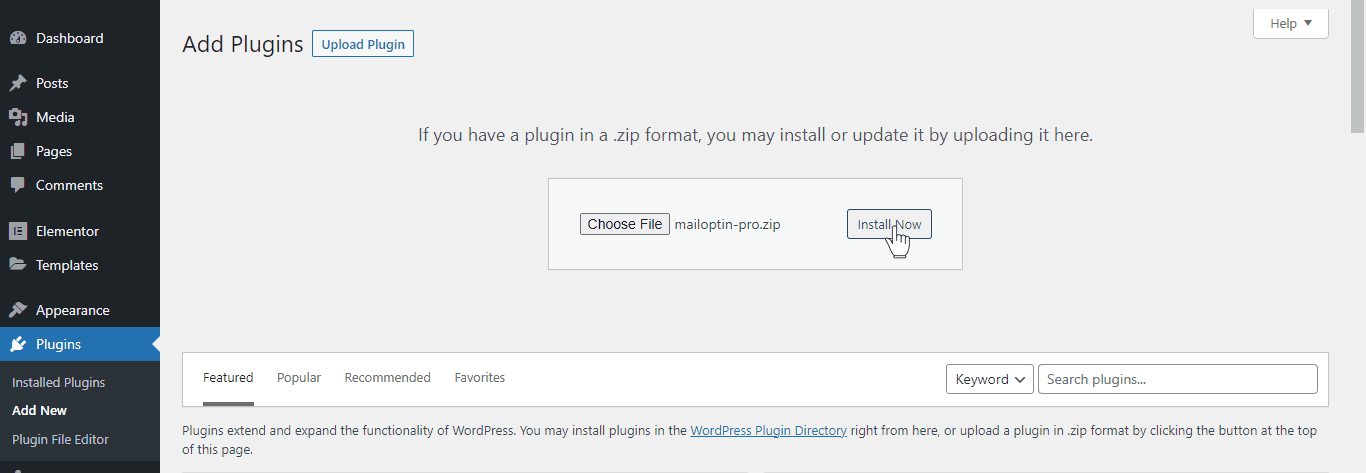
To get started, purchase a MailOptin plan and download the plugin.
Then, upload and install the plugin into your WordPress website.
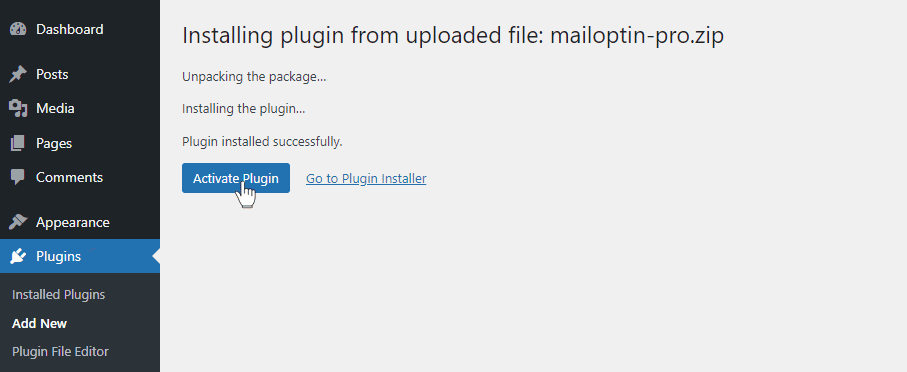
Once installed, click “Activate” to activate the plugin.
Step 2: Connecting MailOptin to Mailercloud
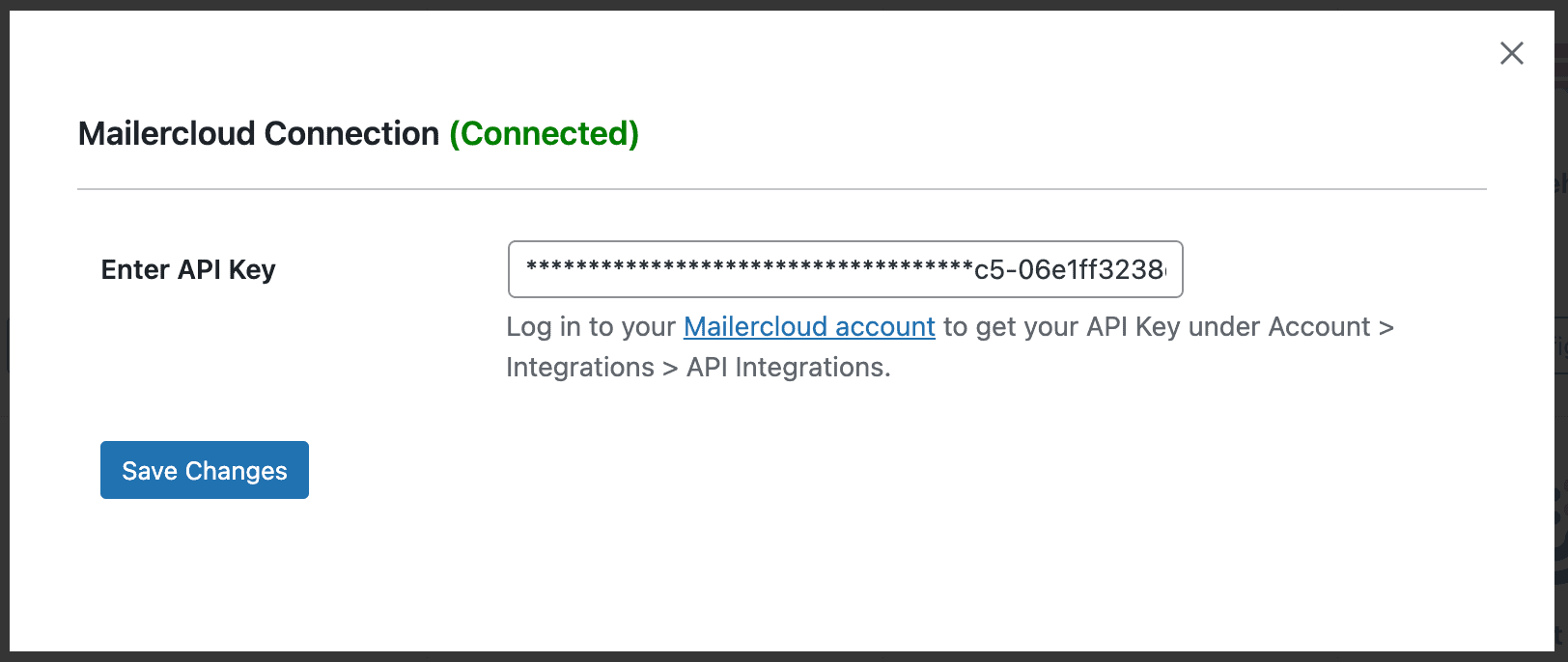
Now, MailOptin is ready to use on your WordPress site. The next step is to connect MailOptin with your Mailercloud account by saving your API key.
Step 3: Create a Mailercloud WordPress Form
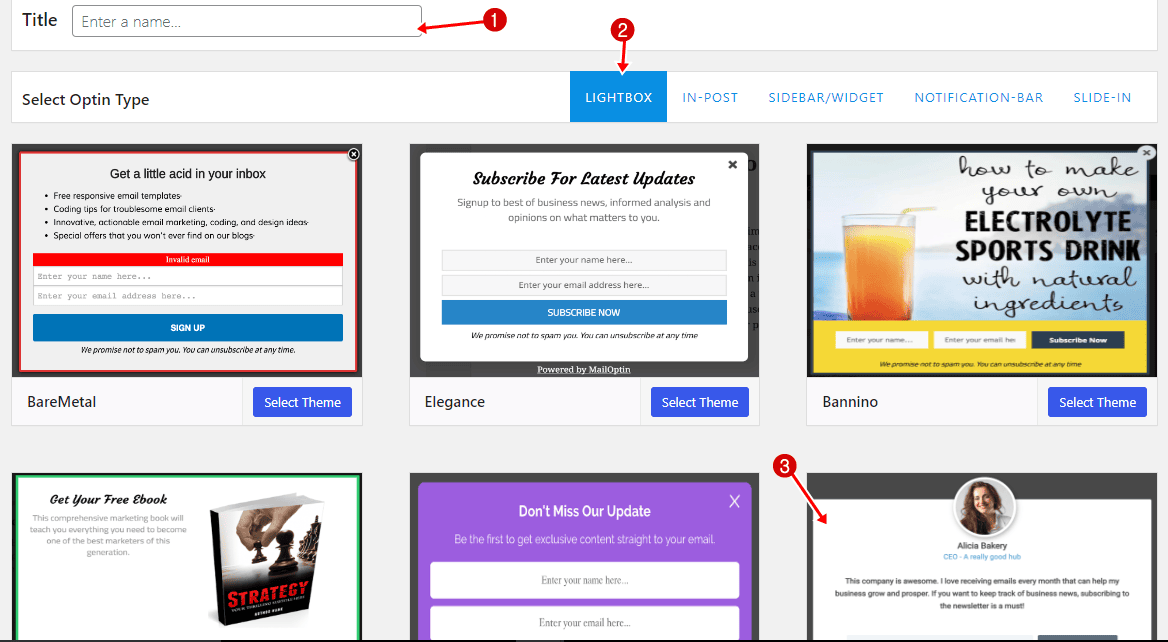
To create a Mailercloud optin form for your WordPress website, navigate to MailOptin > Optin Campaigns > Add New.
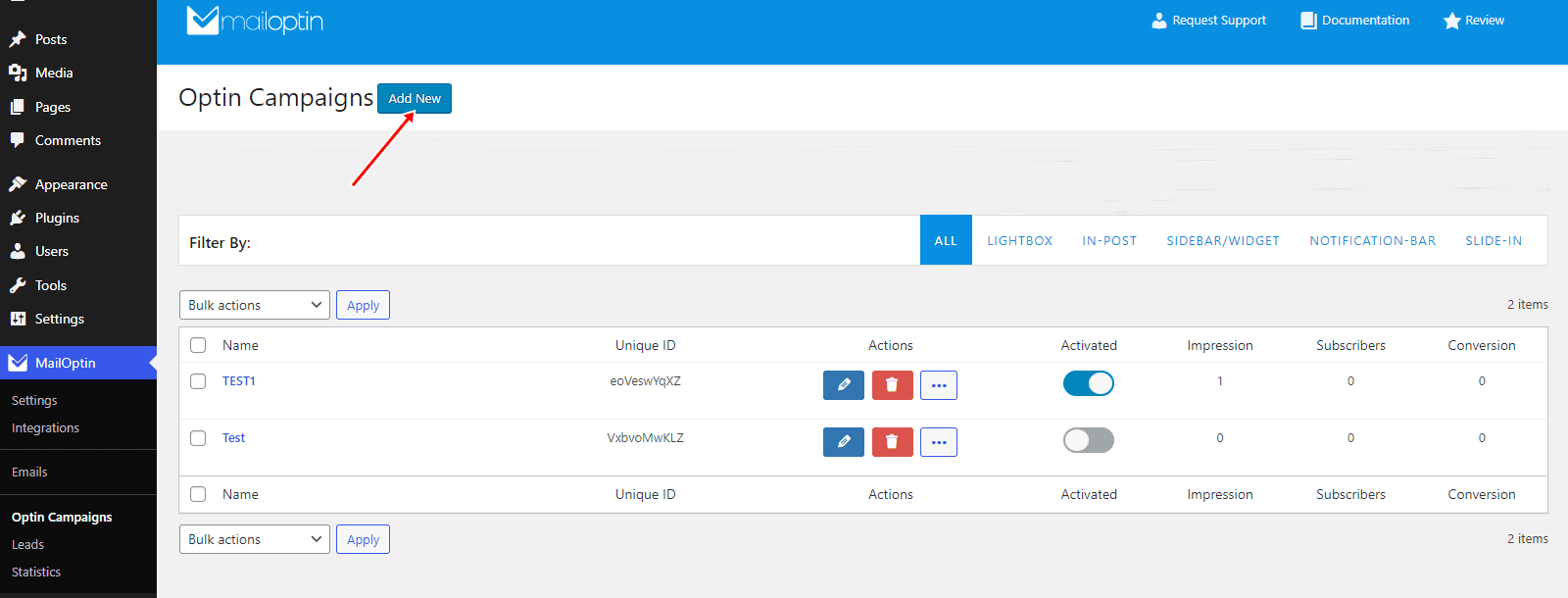
Enter a title for the optin campaign, select the optin type (for this tutorial, we’ll choose Lightbox), and click the optin form design you want.
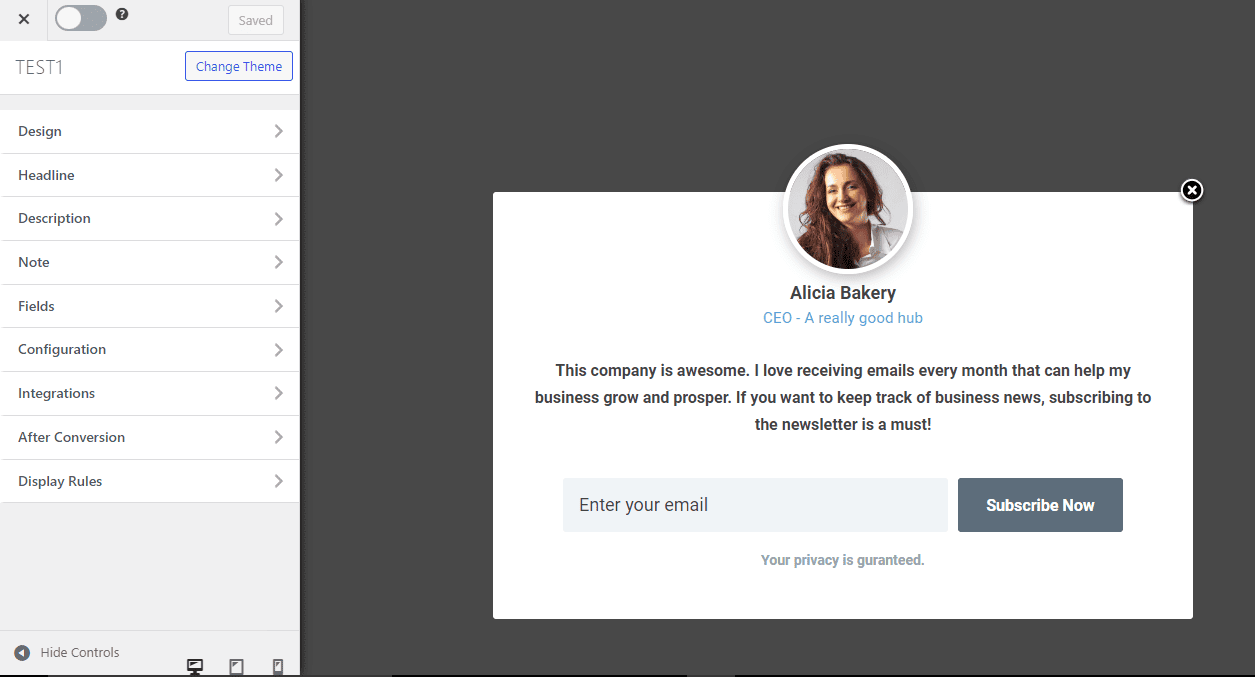
You will then be redirected to the form builder, which has options and the flexibility to customize the Mailercloud optin form to your heart’s content.
See: Adding Extra Fields to Your Optin Form
After customizing the form, open the Integration panel and select Mailercloud as the integration. You can specify tags to assign to leads and map custom fields.

To get the Mailercloud email signup form to display on your site, toggle the activate switch ON at the top (close to the “Save Changes” button).
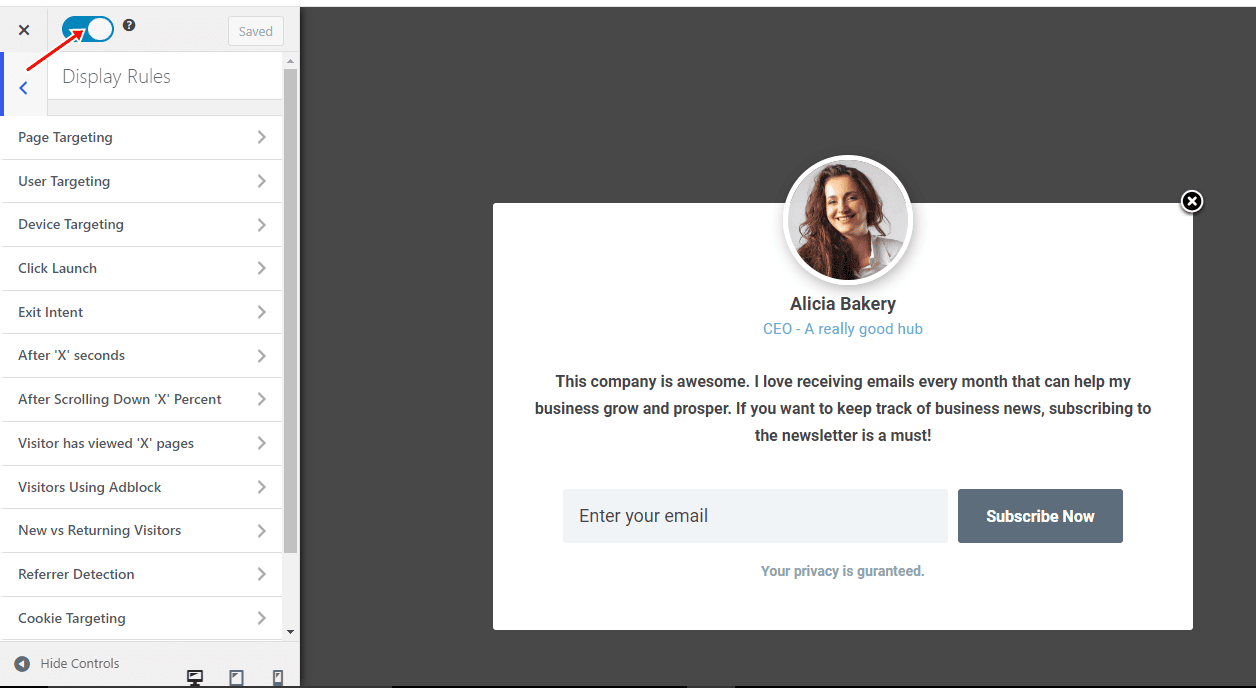
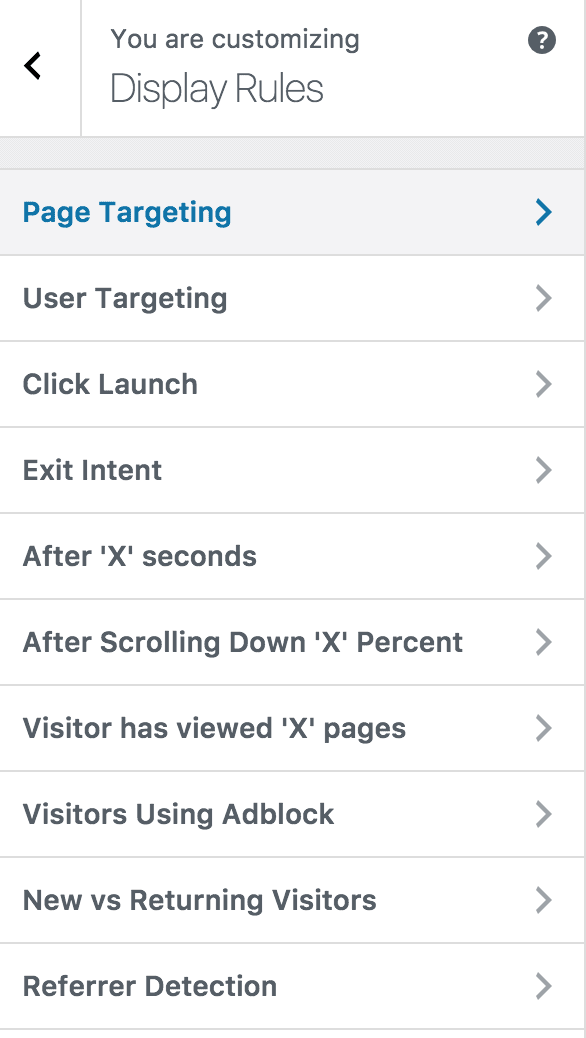
Navigate to the “Display Rules” panel. If you want the opt-in form displayed everywhere (on all pages) on your WordPress site, check “Globally load optin.” Otherwise, use page-level targeting and triggers to determine where and how the opt-in will be shown on your site.
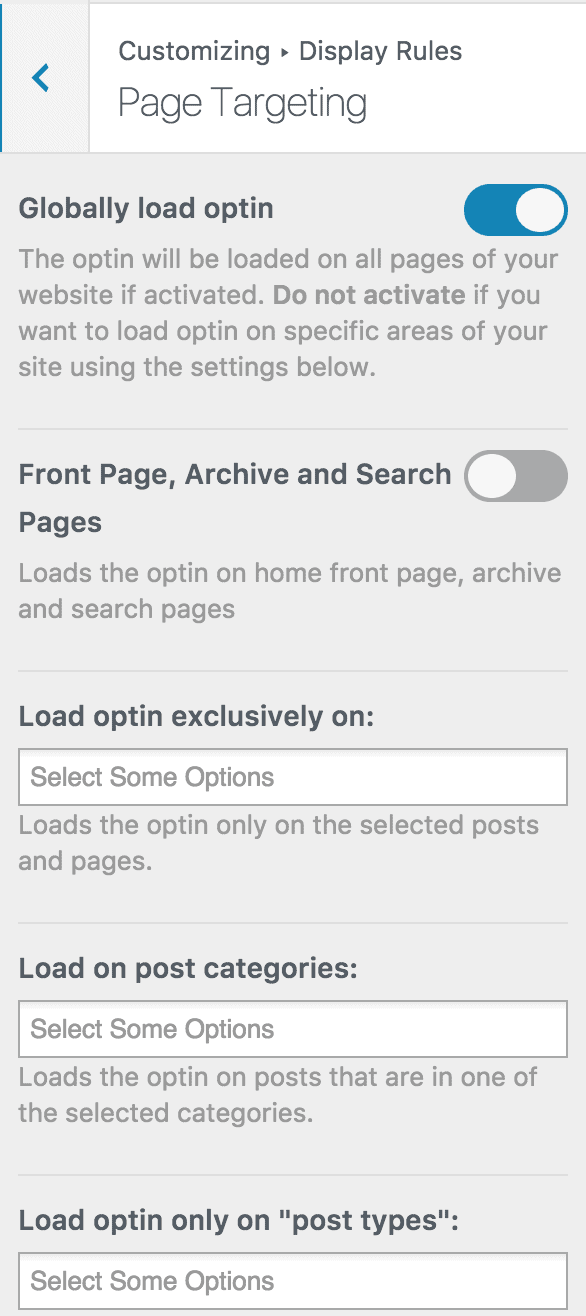
Finally, save the changes.
Preview your WordPress website, and you should see the Mailercloud optin displayed. If it doesn’t show up, clear your website and browser cache.
You can follow the guide below to learn how to create other popular email opt-in forms. And remember to select Mailercloud as the integration.
- How to Create a Notification Bar (Bottom/Top Bar) Optin
- How to Create a Slide-in Optin Campaign
- How to Create Before and After Post Optin Forms
- How to Create Sidebar Widget Optin Forms
In conclusion, integrating Mailercloud with your WordPress website through MailOptin offers a powerful way to capture leads and boost sales.
By creating custom Mailercloud email signup forms, businesses can enhance lead generation and improve their marketing strategies. With MailOptin’s flexibility and features, you can effectively engage your audience and drive conversions.
Start leveraging the potential of Mailercloud and MailOptin today to take your ecommerce marketing to the next level.