Are you looking for the best WordPress content locker plugins for your website?
Locking content can be a powerful way to build excitement around your best articles, guides, or downloads. Instead of allowing visitors to access everything at once, you can give them a small preview and invite them to take an action before revealing the full value.
Many website owners use content locking to grow their email lists, increase social media shares, and encourage visitors to spend more time on their websites. It is an effective strategy that helps you get more value from the content you have already created.
This article explains what a WordPress content locker plugin is, the advantages of using one on your website, and the top WordPress content locker plugins available.
What Is a WordPress Content Locker Plugin?

A WordPress content locker plugin allows you to hide part of your website content until a visitor completes a specific action. That action could be subscribing to a newsletter, sharing a post on social media, signing up for a membership, or making a payment.
Think of it like placing a small gate in front of your best content while still allowing visitors to see a preview. The idea is not to block information completely but to create curiosity and encourage meaningful interaction.
WordPress Content locker plugins also help with protecting premium or paid content. If you sell courses, digital downloads, or membership access, you can restrict access to paying users only. This helps maintain the value of exclusive materials and prevents unauthorized sharing.
Benefits of Using a WordPress Content Locker Plugin
Below are some of the major benefits of using a content locker plugin on your WordPress website.
1. Grow Your Email Subscriber List: Content lockers are excellent for building an email list. You can lock premium guides, checklists, templates, or advanced sections of an article and ask visitors to subscribe before access is granted.
This works because people are more likely to share their email when they clearly see the value they will receive in return. Instead of asking visitors to subscribe, you are offering them something useful first. Over time, this can help you build a loyal audience that you can contact whenever you publish new content or promotions.
2. Increase Website Engagement: When visitors see that something valuable is hidden, curiosity naturally pushes them to interact with your site. Content lockers encourage readers to spend more time on your pages instead of leaving after reading just a few paragraphs.
3. Generate Revenue from Premium Content: If you run a membership website, sell digital downloads, or offer online courses, content lockers can help protect paid resources. Only users who have paid for access can view premium materials. This helps preserve the value of your paid content and ensures a fair reward for your effort. Many creators favor this model for steady income, rather than relying solely on ads or one-time sales.
4. Increase Social Media Shares: Some content locker plugins allow you to lock content behind social sharing actions. Visitors may need to share your article on platforms like Facebook, Twitter, or LinkedIn before gaining access. This strategy can help your content reach new audiences organically. When users share your content with their friends and followers, it acts like free promotion for your website. More shares often lead to more traffic and potential subscribers.
5. Improve Conversion Rates: Content lockers can help increase conversion rates when used properly. Instead of placing a small signup form at the bottom of a page where visitors may ignore it, you can present the offer at the exact moment when readers are most interested. For example, after they finish reading a helpful section, you can offer additional advanced tips behind a lock. This timing increases the likelihood that users will take action.
Best WordPress Content Locker Plugins
Now that you understand what a WordPress content locker plugin is and its benefits, let’s review some of the best WordPress content locker plugins we recommend.
1. ProfilePress
ProfilePress is an excellent WordPress plugin that combines content restriction, membership management, and payment processing into a single system. If you want to lock content behind subscriptions, paid memberships, or user roles, this plugin gives you that flexibility.
What makes ProfilePress particularly valuable for content locking is its powerful paywall and access control system. You can restrict posts, pages, categories, custom post types, and even specific sections of content based on membership plans or logged-in status.
That means you are not just hiding content. You are building a structured experience where access is granted based on clear rules. For membership websites, online course platforms, and premium content creators, this level of control is essential.
Another reason ProfilePress ranks among the best WordPress content locker plugins is its smooth integration with payment gateways. Instead of sending users elsewhere, you can accept one-time or recurring payments directly on your site through providers like Stripe, PayPal, Razorpay, Mollie, Paystack, and even bank transfer. This allows you to turn locked content into a reliable income stream.
Features of ProfilePress
ProfilePress is packed with features that make it a great fit for content restriction and membership websites. Here is what it brings to the table:
Content Restriction & Paywall: With ProfilePress, you can lock posts, pages, categories, tags, custom post types, and even navigation menus based on membership plans, user roles, or login status.
Metered Paywall Option: Allow visitors to view a limited number of posts before requiring subscription access.
Multiple Payment Gateways: ProfilePress accepts payments through multiple payment gateways, supporting both one-time and recurring subscriptions.
Drag and Drop Form Builder: Create custom registration forms, login forms, checkout pages, password reset forms, and edit profile pages without coding.
User Profiles & Member Directories: With ProfilePress, you can build searchable member directories and attractive frontend profile pages.
Login Redirect & Access Control: Redirect users after login based on their roles or subscription plans.
LMS Integrations: ProfilePress integrates with popular learning platforms, including LearnDash, LifterLMS, Tutor LMS, and others, to manage course access restrictions.
Email Marketing Integrations: Connect with Mailchimp, Campaign Monitor, MailerLite, and more for automated subscriber management.
ProfilePress Pricing
The content lock feature in ProfilePress is available in the Standard plan and above, starting at $129 per year.
2. MailOptin
MailOptin is one of the most popular lead-generation and email-marketing plugins for WordPress. It helps you grow your email list, send newsletters, and automate email campaigns directly from your website.
One of its great features is the ability to lock specific sections of your content and require visitors to enter their email address before they can view it.
With MailOptin, you can choose between two content locking methods: Obfuscation or Removal.
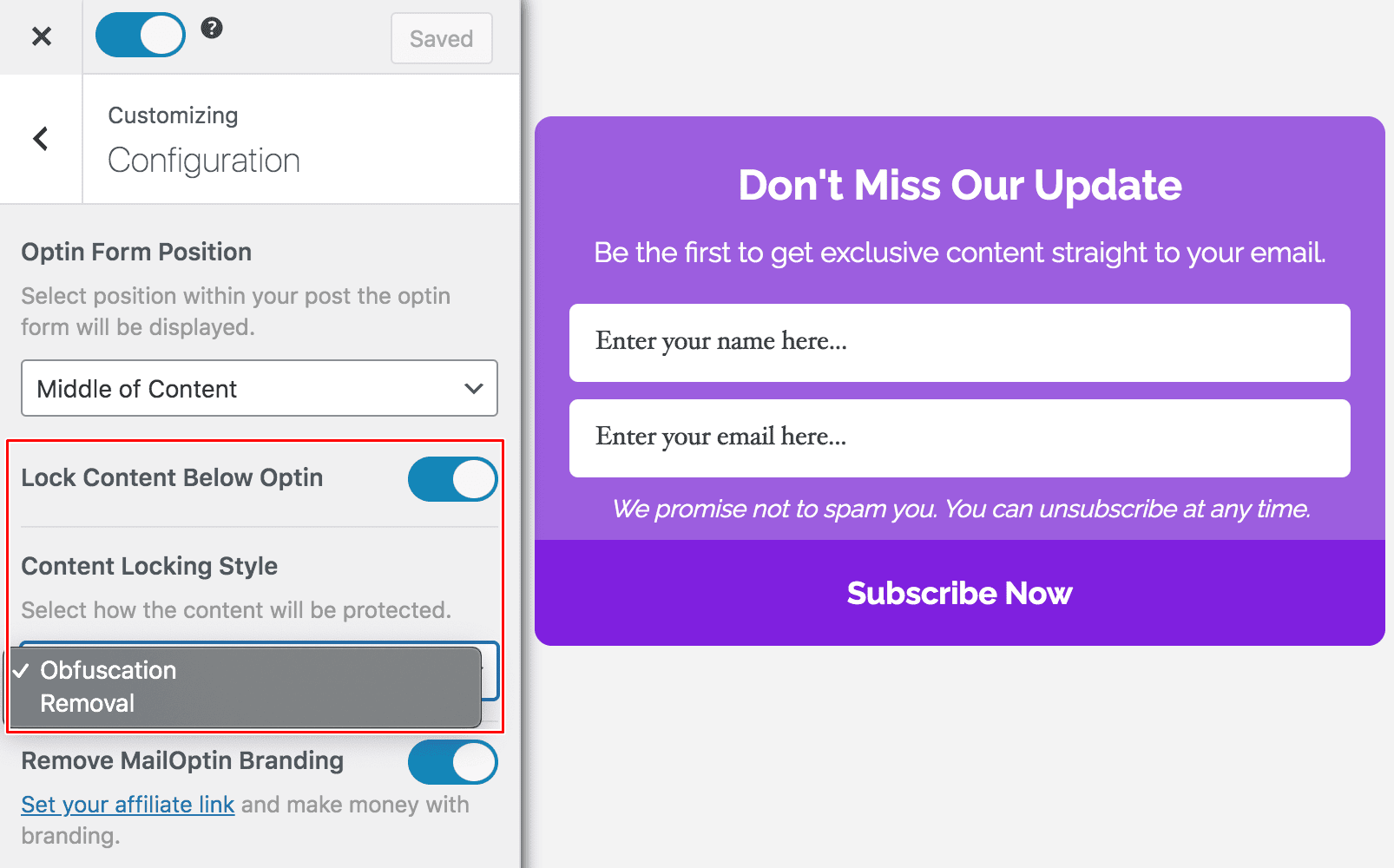
If you select Obfuscation, the content below the opt-in form will be blurred. Visitors can see that more information is available, but they cannot read it until they subscribe. This method works well because it creates curiosity and clearly shows that something valuable is waiting for them.
If you choose Removal, the content below the opt-in form is completely hidden. Visitors will not see any preview of the locked section until they enter their email address. This option is ideal if you want to keep the hidden content fully exclusive.
Both methods are easy to set up and let you control where and how the lock appears in your posts or pages. Once a visitor subscribes, the locked content is instantly revealed, creating a smooth and rewarding experience.
Features of MailOptin
MailOptin includes several features that make it ideal for content locking and lead generation:
Content Locking: With Mailoptin, you can lock part of your content and require an email subscription to unlock the full article.
Multiple Optin Types: Lightbox popups, notification bars, slide-ins, in-post forms, sidebar widgets, and call-to-action boxes.
Display Triggers: MailOptin offers excellent trigger options, including exit intent, scroll percentage, time on site, page views, click launch trigger, and referrer detection.
A/B Testing: Test different optin campaigns to see which one converts better.
Email Automation: With MailOptin, you can send automatic new post notifications and scheduled email digests.
Integrations: Works with Mailchimp, ActiveCampaign, Zoho CRM, Klaviyo, Brevo, and many others.
Analytics & Lead Storage: MailOptin allows you to track conversion data and store lead details within the plugin.
MailOptin Pricing
MailOptin paid versions start at $99 per year.
3. Secure Copy Content Protection
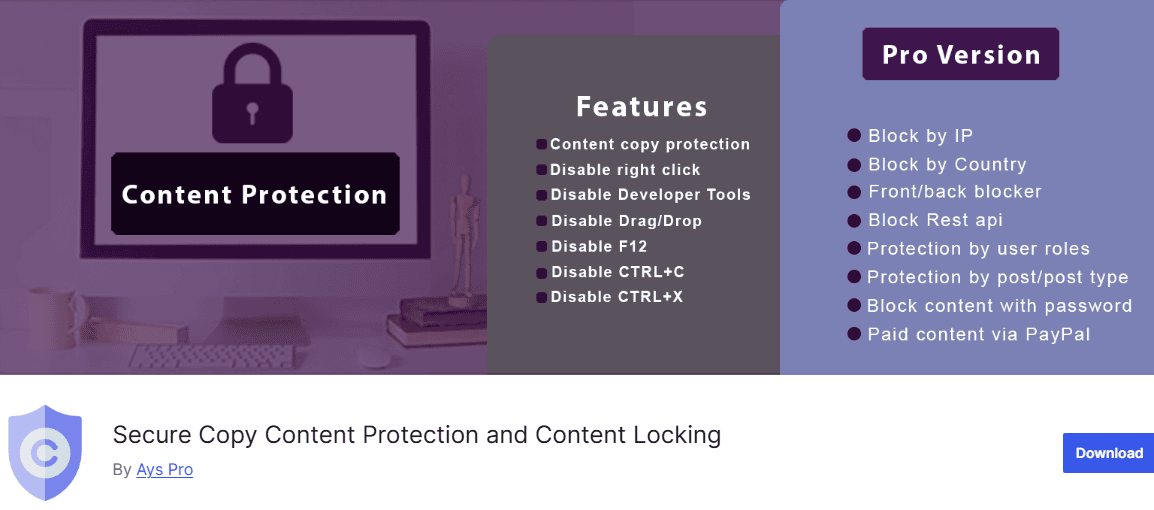
Secure Copy Content Protection is a powerful WordPress plugin designed to prevent content theft and offer flexible content-locking options. It helps website owners protect their original articles, images, and digital assets from unauthorized copying.
Once activated, Secure Copy Content Protection disables right-click, text selection, copy and paste actions, drag and drop, and several common keyboard shortcuts.
It can also block access to browser developer tools, making it more difficult for users to inspect or extract your content. This is especially helpful if you publish premium guides, research-based articles, or exclusive resources that you do not want duplicated elsewhere.
In addition to copy protection, the plugin includes built-in content locking features. You can restrict parts of your posts using a password shortcode, require visitors to subscribe to your email list before viewing hidden content, or even create a paid content section with PayPal integration. This makes it more than just an anti-copy plugin. It also functions as a practical content locker that supports lead generation and monetization.
Features of Secure Copy Content Protection
- Disable right-click and left-click
- Disable text selection
- Block copy, paste, and cut shortcuts
- Disable developer tools and inspect element
- Password-protected content using shortcodes
- Subscribe-to-view email gating
- Mailchimp integration
- Export subscriber data in CSV, XLSX, and JSON formats
- User role and post type protection
- IP and country-based blocking
- PayPal paywall for paid content
- Image watermarking
Secure Copy Content Protection Pricing
Secure Copy Content Protection offers a free version that includes core copy-protection features and basic content-restriction options. The Pro version unlocks advanced features such as geo-blocking, IP blocking, role-based protection, and PayPal paywall functionality.
4. Subscribe to Unlock
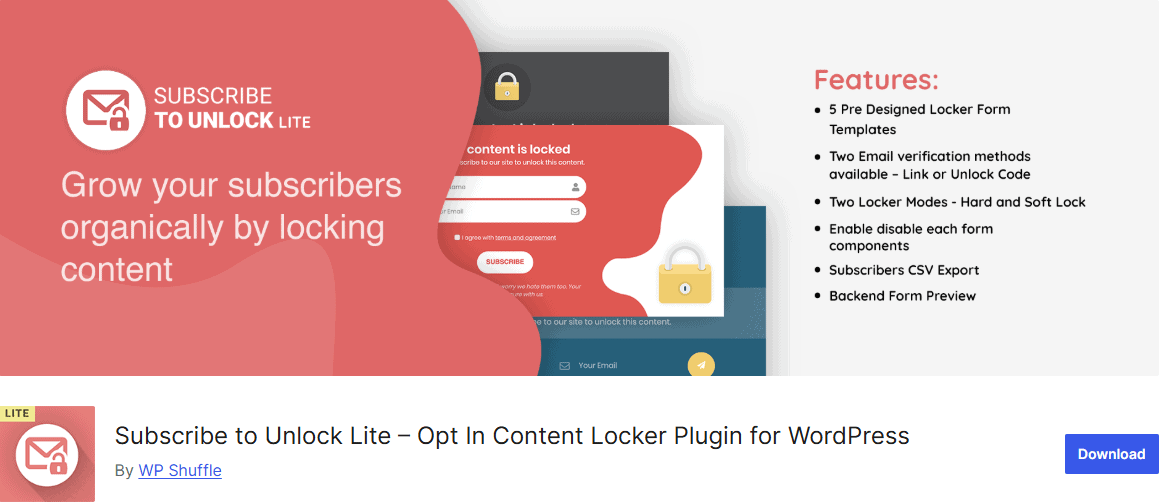
Subscribe to Unlock is an excellent WordPress content locker plugin that helps you grow your email list by requiring visitors to subscribe before accessing selected content.
With this plugin, you can lock either a specific section of a post or an entire page. You can choose between a Hard Lock, where the content is fully hidden until the user subscribes, or a Soft Lock, which shows a preview to spark curiosity before asking for an email address.
This flexibility lets you decide how much access visitors get before they opt in. It also supports email verification via a confirmation link or unlock code, helping you collect valid, active email addresses.
Another advantage of this plugin is its customization options. You can select from pre-designed templates that blend with your website’s layout, enable or disable form fields, and preview everything in the backend before publishing.
Features of Subscribe to Unlock
- Five pre-designed subscription form templates
- Hard Lock and Soft Lock modes
- Email verification via link or unlock code
- Lock specific content sections or entire pages
- Backend form preview before publishing
- Ajax form submission for smooth user interaction
- Export subscribers in CSV format
- Responsive design for mobile and desktop
- Unlimited subscription forms with drag-and-drop builder
- Popup content locker
- Countdown timer for interactive locking
- Direct locking from the post editor
- Custom form styling options
- Integration with Mailchimp, Constant Contact, MailerLite, and Brevo
Subscribe to Unlock Pricing
Subscribe to Unlock offers a free version with core content locking features. This makes it a suitable starting point for small blogs or new websites testing gated content strategies.
Premium upgrades unlock advanced features, including unlimited forms, additional templates, pop-up lockers, countdown timers, and email marketing integrations. Pricing starts at $18.
5. Pretty Opt In
Pretty Opt In is a powerful WordPress content locker plugin designed to help you turn valuable content into a lead generation opportunity. It allows you to lock downloads, discount codes, videos, or exclusive sections of your posts and require visitors to subscribe before gaining access.
Using a simple shortcode, you can wrap any content you want to restrict. Once locked, visitors must enter their email address to unlock the hidden material. This makes it especially useful for bloggers, course creators, and businesses offering gated resources.
Pretty Opt In also gives you control over how your locker looks and behaves. You can customize layout styles, header titles, messages, and button text to match your website’s branding. Subscriber emails are stored in your local WordPress database, and you can even receive notifications each time a new lead signs up.
Features of Pretty Opt In
- Lock content, such as downloads, videos, and discounts, using a shortcode
- Customizable locker layout, title, message, and button text
- Single opt-in subscription mode (default)
- Option to display lockers on mobile devices
- Ability to show lockers only to non-registered users
- Bulk actions to manage lockers
- Store subscriber emails in the WordPress database
- Set cookie expiration duration
- Email notifications for new leads
- Custom Terms of Use and Privacy Policy links
- Integration with MailChimp, SendGrid, SendinBlue, MailPoet, ActiveCampaign, FreshMail, MailJet, and MailerLite
Pretty Opt In Pricing
Pretty Opt In offers a free version with core content locking and lead capture functionality. This is suitable for website owners who want a basic but effective way to gate content.
The Pro version unlocks advanced email marketing integrations and additional features to help you expand your lead generation efforts. It costs $59.
6. Social Share & Locker Pro
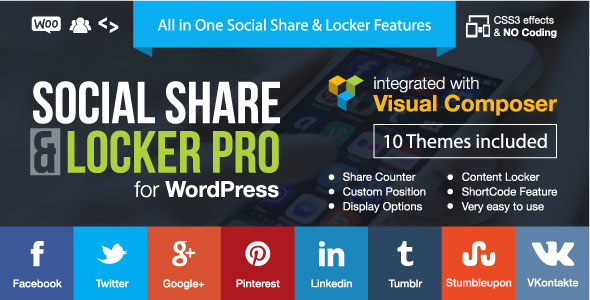
Social Share & Locker Pro is an effective WordPress plugin that combines social sharing buttons with a built-in content locker. It allows you to lock content and require users to share your page on social media before they can access it. Instead of asking for an email address, you can ask visitors to “pay with a share.”
This plugin supports a wide range of social networks, including Facebook, X (Twitter), LinkedIn, Pinterest, WhatsApp, Telegram, Reddit, and many others. It also allows you to display sharing buttons in different positions on your website, such as floating on the side, above, or below your content, or inside posts using shortcodes. You also have control over the design, layout, and whether share counts are displayed.
Its Social Locker feature allows you to hide specific content, such as download buttons, videos, text sections, or image galleries, until the visitor shares your page. You can even set rules based on user roles, login status, referral source, or device type.
Features of Social Share & Locker Pro
- Social content locker that unlocks after a user shares your page
- Support for dozens of social networks
- Multiple display types (floating, content area, shortcode placement)
- Horizontal and vertical button alignment
- Real share count tracking
- 10 pre-designed responsive themes
- Option to show full network names or icons only
- Smart targeting options (by user role, login status, referral source, device)
- Email sharing option
- WPBakery Page Builder integration
- WooCommerce, Jigoshop, and BuddyPress compatibility
- Shortcode generator for social buttons and locker
Social Share & Locker Pro Pricing
Social Share & Locker Pro is a premium plugin that costs $20.
How to Choose the Right Content Locker Plugin
Now that we have explored the 6 best WordPress content locker plugins, the next question is clear: how do you choose the right one for your website?
Not every content locker plugin will fit your goals. Some focus on email list growth, others on social shares, and some are built mainly for content protection or paywalls. Before installing any plugin, it is important to understand what you want to achieve and how the plugin supports that goal.
Here are a few important factors to consider:
1. Your Primary Goal: Start by asking yourself what you want from a content locker.
- If your goal is to grow your email list, choose a plugin with email integrations and automation features. We recommend MailOptin
- If you want more social visibility, a social share locker is the best option. We recommend Social Share & Locker Pro.
- If you are selling premium content, look for a plugin that supports paywalls and payment gateways. We recommend ProfilePress.
Being clear about your objective will narrow your options quickly.
2. Ease of Use: A plugin should not be difficult to set up. The good news is that all the plugins we have reviewed here have a clean interface, clear settings, and helpful documentation.
3. Customization Options: Your content locker should match your website’s design. Check whether the plugin allows you to customize:
- Layout and colors
- Button text and messages
- Hard lock or soft lock modes
- Display rules and positioning
A well-designed locker blends into your content rather than distracting from it.
4. Integration with Email Marketing Services: If you are collecting emails, make sure the plugin integrates with your preferred email marketing platform. Direct integrations with services like Mailchimp, ActiveCampaign, or Brevo can save you from manual exports and imports later.
Automation features are also valuable for sending welcome emails or follow-up campaigns automatically.
5. Targeting and Display Rules: Advanced targeting options allow you to control who sees your locker. Some plugins let you show or hide lockers based on:
- User roles
- Login status
- Device type
- Referral source
- Specific posts or pages
This level of control helps you create a better user experience.
6. Pricing and Value: Finally, compare pricing with the features offered. A free version may be enough for small blogs, but growing websites often benefit from premium features such as advanced integrations, analytics, or payment gateways.
Instead of choosing the cheapest option, focus on value. The right plugin should support your growth without limiting your strategy.
FAQs for Best WordPress Content Locker Plugins
Looking for more information about content locker plugins?
Below are some common questions and answers to help you better understand how these plugins work and how to use them effectively.
1. Do content locker plugins affect SEO?
When used correctly, content locker plugins should not harm your SEO. It is important to ensure that search engines can still crawl and index enough of your page’s visible content. Avoid locking all your content, and always provide valuable, visible information for search engine optimization and user experience.
2. Which content locker plugin is best for email marketing?
Plugins like MailOptin and Subscribe to Unlock are great choices for email marketing. These plugins integrate with popular email platforms and help you grow your subscriber list by locking valuable content behind subscription forms.
3. Are content locker plugins easy to use?
Yes. All the plugins featured in this article are designed with user-friendly interfaces. Many include drag-and-drop builders, shortcode support, and pre-designed templates, making setup quick, even for beginners.
4. Can I use multiple content locker plugins on one website?
It is possible, but not recommended. Using too many plugins may cause conflicts. It is better to choose one plugin that already includes the features you need.
5. Is it a good idea to use a social locker plugin?
Yes, using a social locker plugin can be a good idea if your main focus is increasing social visibility, driving traffic, and promoting brand awareness across social media platforms. Instead of asking visitors to subscribe with their email address, social lockers allow you to ask them to share your content before unlocking premium sections.
Conclusion
We hope this article helped you discover the best WordPress content locker plugin for your website and understand how each option can support your growth strategy.
Whether your goal is to build your email list, increase social shares, protect your original content, or monetize premium resources, there is a solution that fits your needs. The right plugin should align with your objectives, integrate with your existing setup, and provide a positive experience for your visitors.
With the right WordPress content locker plugin in place, you can turn casual visitors into engaged subscribers, expand your reach, and get more value from the content you work hard to create.