
Do you want to create a Sender.net WordPress form to add leads, contacts, accounts, and subscribers to your Sender account?
Sender is an email marketing platform that helps businesses create, send, and track email campaigns with features like drag-and-drop email builders, automation workflows, and detailed analytics. It offers tools for managing subscriber lists, creating newsletters, and optimizing email deliverability to improve marketing campaign performance.
In this tutorial, we will learn how to integrate WordPress with Sender, enabling you to create opt-in forms to capture and save leads in Sender using our powerful lead capture form plugin.
First, please make sure you’ve connected your Sender account to MailOptin.
Then go to the Optin Campaign page and click the Add New button at the top to create an optin form.

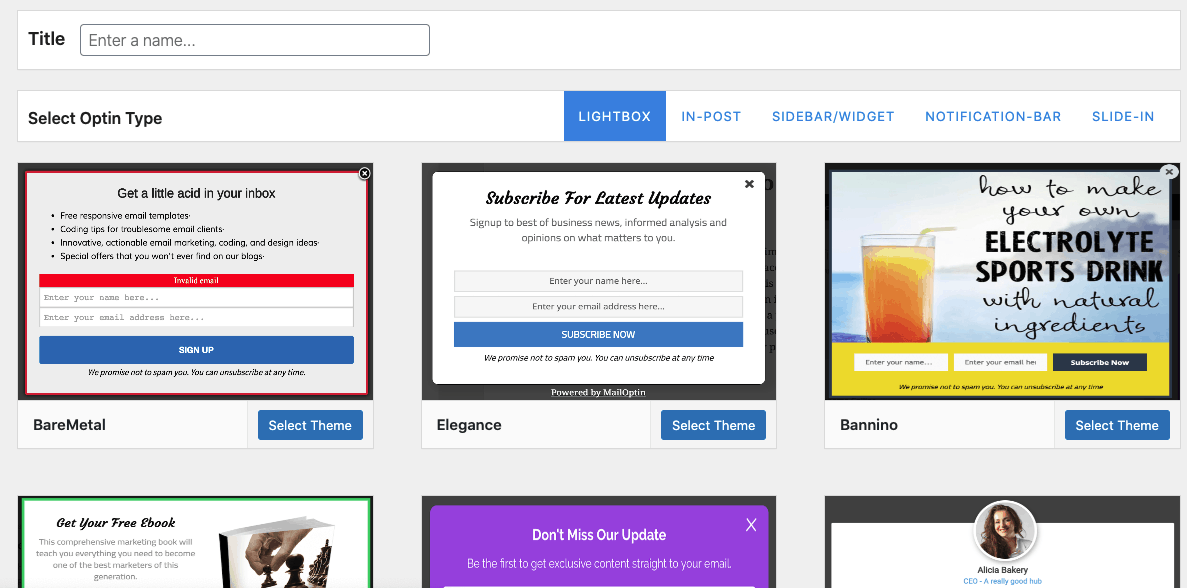
Enter a name for the Sender optin form, select the optin type (for this tutorial, we’ll choose Lightbox), and click the optin form design you want.
You will then be redirected to the WordPress form builder, where you can customize the optin campaign to your heart’s content with options and flexibility.
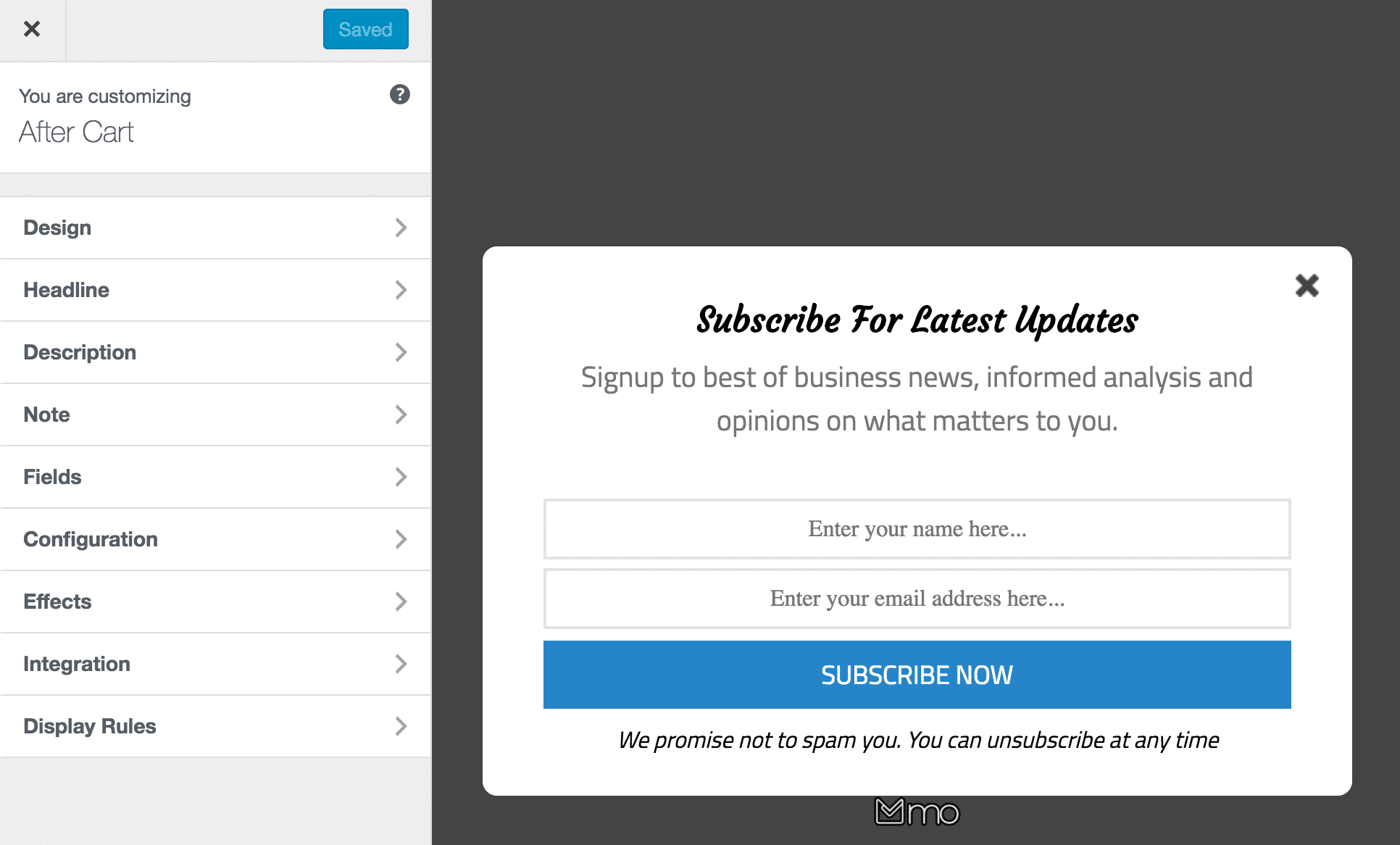
Next, open the Integration panel. Select Sender as the integration, choose a group to add leads to.
See: Adding Extra Fields to Your Optin Form

Click on “Map Custom Fields” to map any form field to custom fields in Sender.
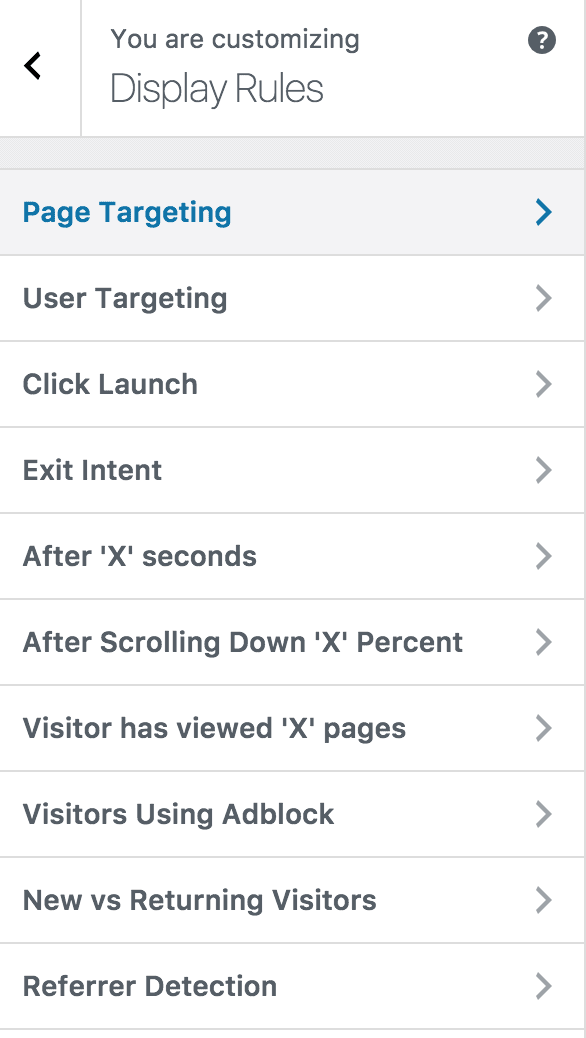
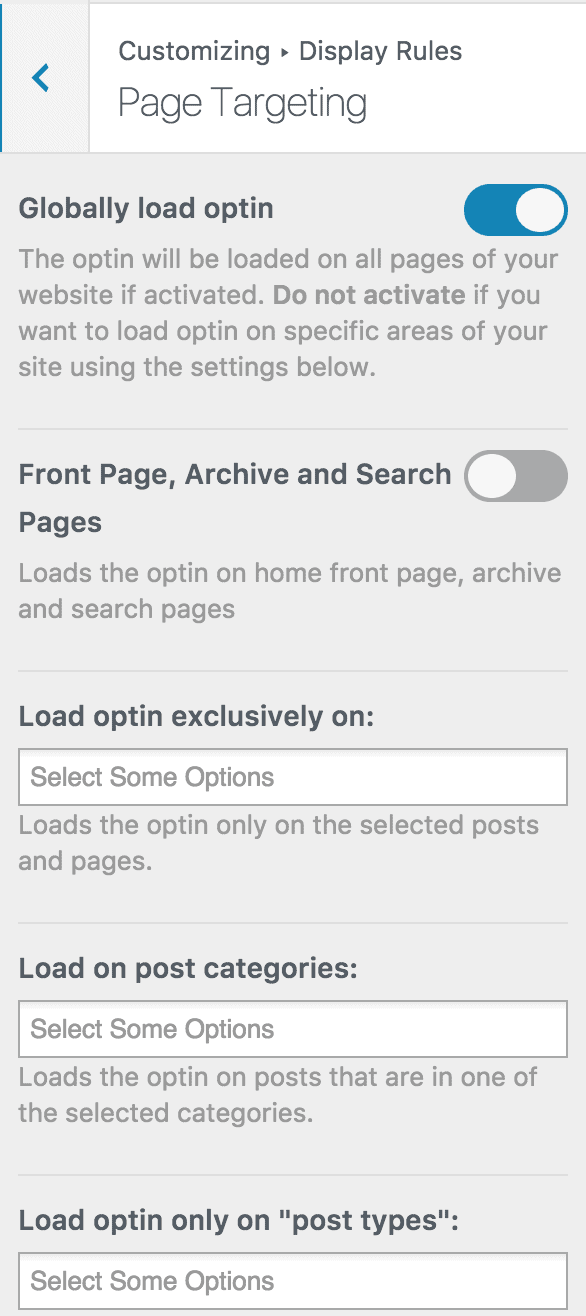
Navigate to the “Display Rules” panel. If you want the opt-in form to be displayed everywhere (all pages) of your WordPress site, check “Globally load optin” Otherwise, use the page-level targeting and triggers to determine how and where the opt-in will be shown on your site.
Finally, save the changes. Preview your website, and you should see the optin displayed. If it doesn’t show up, clear your website and browser cache.
You can follow the guide below to learn how to create other popular email opt-in forms. And remember to select Sender as the integration.
- How to Create a Notification Bar (Bottom/Top Bar) Optin
- How to Create a Slide-in Optin Campaign
- How to Create Before and After Post Optin Forms
- How to Create Sidebar Widget Optin Forms
Creating Sender WordPress forms is an excellent way for businesses to capture more leads, improve customer relationships, and increase sales. To enhance your business’s lead generation and sales process, consider creating WordPress forms integrated with Sender.