We’re thrilled to announce our latest plugin update, MailOptin 2.2.78.0. This release rolls up everything we’ve shipped since 2.2.77.1, including a brand-new Copper CRM integration, Google reCAPTCHA Enterprise support, several improvements, and important bug and security fixes.
New Features & Integrations
Copper CRM Integration
Copper is the CRM built for Google Workspace users, designed to sit natively within Gmail and Google Calendar. With this release, leads captured through your MailOptin popups and opt-in forms are automatically added to Copper as People or Leads, complete with support for Copper’s custom fields and lead tags. See our Copper CRM connection guide for the full walkthrough.

For developers: the mo_connections_copper_optin_payload filter lets you modify the payload MailOptin sends to Copper before a subscriber is created or updated — handy for setting extra properties or adjusting tags programmatically.
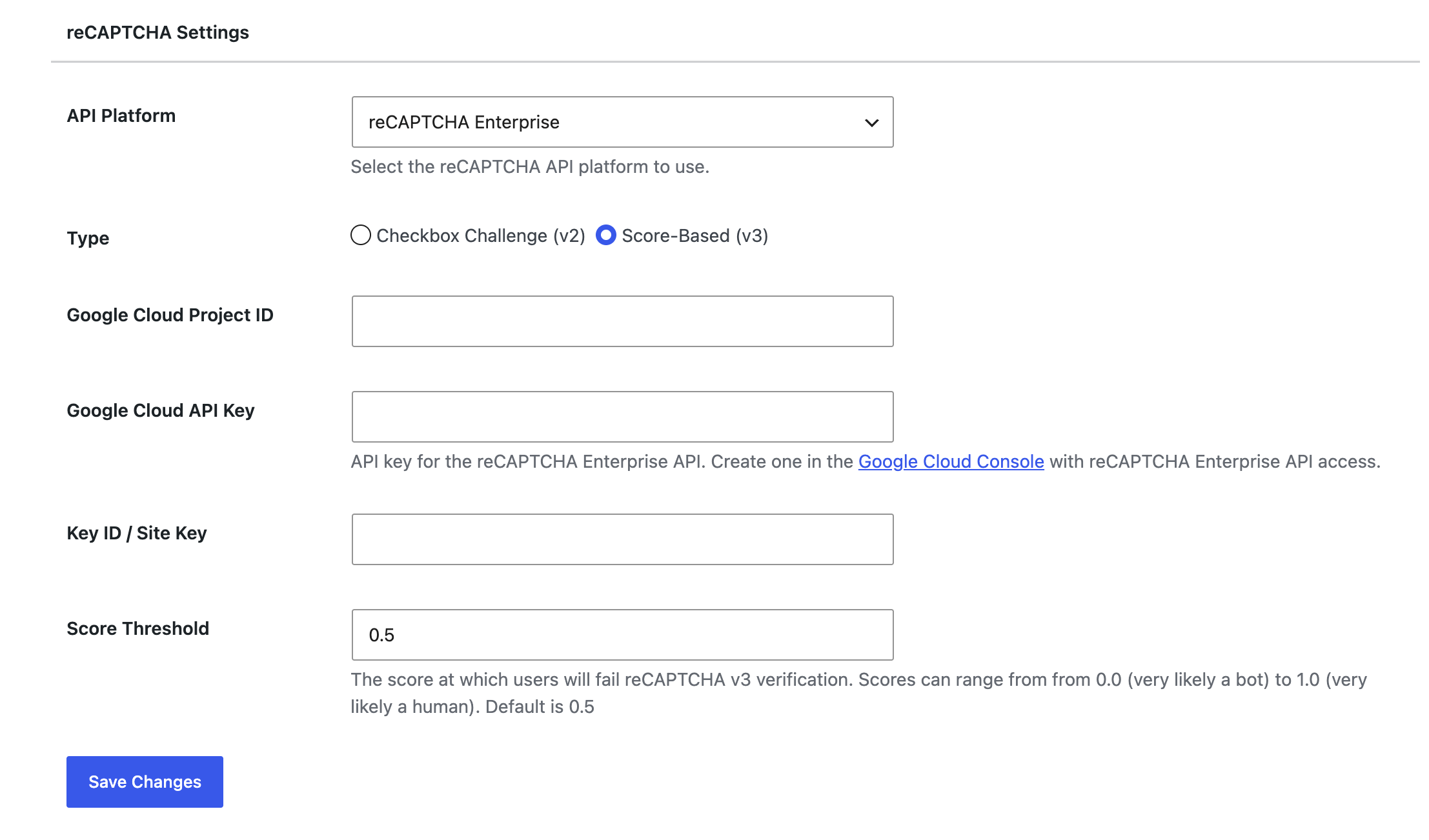
reCAPTCHA Enterprise Support
MailOptin’s reCAPTCHA field now supports Google reCAPTCHA Enterprise as an alternative to classic reCAPTCHA, giving you Google’s more advanced bot- and abuse-detection engine on your opt-in forms.
To switch to it, go to MailOptin → Settings → reCAPTCHA and set API Platform to reCAPTCHA Enterprise. Enterprise mode asks for your Google Cloud Project ID and Google Cloud API Key (created in the Google Cloud Console with reCAPTCHA Enterprise API access) instead of the classic secret key.
Column Support for Posts in Email Templates
The Posts element in the email content builder now includes a Columns setting, so your automated post-digest and newsletter emails can lay out multiple posts side by side instead of a single stacked list.
Klaviyo API Update
The Klaviyo integration now uses Klaviyo’s 2026-04-15 API revision to keep your subscriber syncing aligned with Klaviyo’s latest API contract.
Improvements
PHP 8.5 Support
We’ve improved MailOptin’s compatibility with PHP 8.5, so sites running the newest PHP releases see fewer warnings and more predictable behavior.
Better Outlook Email Rendering
We continued tightening up how MailOptin’s email templates render in Outlook — building on rendering fixes from the previous release, this update resolves more of Outlook’s quirky handling of layout and spacing so your campaigns and post digests look right for Outlook recipients too.
Bug Fixes
- Brevo (Sendinblue) duplicate-contact subscription bug. Fixed an issue where subscribing a contact that already existed in Brevo could fail instead of updating it.
- Security hardening: list-subscription field validation. Fixed a security issue where a non-whitelisted option could be passed as a list-subscription field value.
- Security hardening: list-selection field behavior. Fixed a security issue where an opt-in form without a list-selection field could still behave as though one were present.
You can view the complete changelog here.
— –
These updates aim to enhance the overall functionality and performance of the product. As always, we recommend keeping your software up to date to benefit from these improvements and avoid known issues.
Be sure to update to the latest version to take advantage of this new feature. You can update your MailOptin plugin from your website’s dashboard by navigating to Dashboard>>Updates. You can also download the latest version from your MailOptin account dashboard.
If you encounter any problems or have any feedback, please don’t hesitate to contact our support team.
Happy updating!