
Would you like to implement Cloudflare Turnstile CAPTCHA to protect your WordPress forms against spam and bot attacks?
As bots grow more advanced, protecting your WordPress website against spam, fraud, and abuse becomes increasingly critical. That’s where Cloudflare Turnstile steps in.
Cloudflare Turnstile is a privacy-focused, CAPTCHA-alternative solution that protects websites from bots and verifies whether a user is human without requiring them to solve puzzles, image selections, or other intrusive challenges. It works by analyzing non-intrusive background signals (such as browser behavior, device characteristics, and network patterns) to generate a secure token that confirms the user is legitimate and blocks automated abuse.
Cloudflare Turnstile is designed to replace traditional CAPTCHA-like systems, such as Google reCAPTCHA, while respecting user privacy and requiring minimal integration effort.
MailOptin seamlessly integrates with Cloudflare Turnstile, providing an extra layer of security for your WordPress optin forms by filtering out malicious activity and ensuring your form submissions are legitimate.
MailOptin X Cloudflare Turnstile
MailOptin is a lead generation plugin that converts website visitors into subscribers and WordPress users, sends one-off newsletters, and creates automated, event-triggered follow-up emails.
MailOptin optin forms for converting visitors into email subscribers in WordPress support Cloudflare Turnstile, providing enhanced security against spam and bot attacks.

To add Cloudflare Turnstile CAPTCHA to your MailOptin optin forms to stop spam registrations and bot sign-ups, follow these steps:
Step 1: Install and Activate MailOptin
Start by purchasing a MailOptin plan and downloading the plugin from the welcome email or your MailOptin account.
Next, upload and install the plugin on your WordPress website.
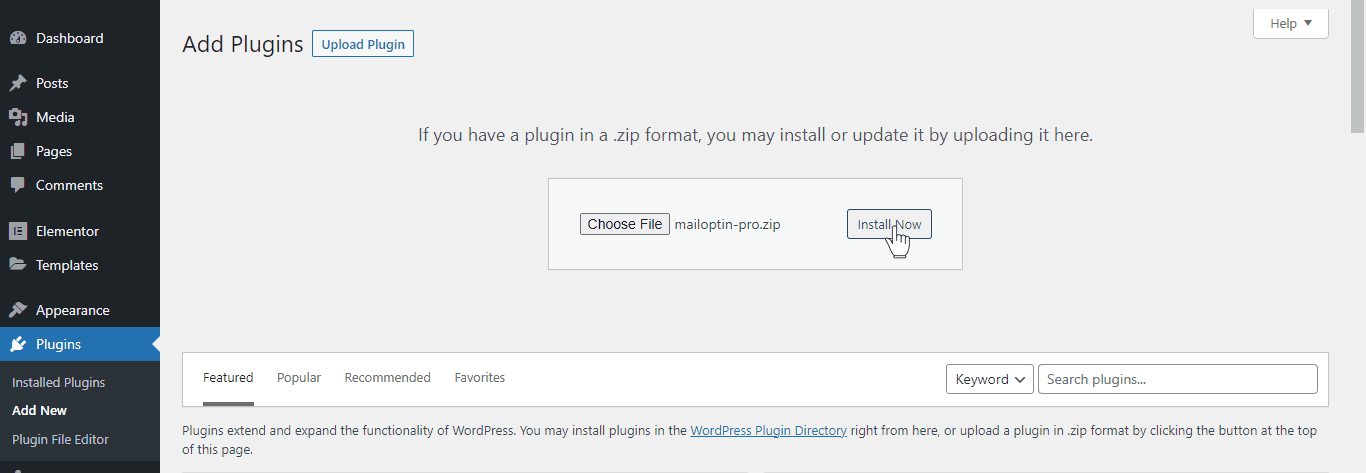
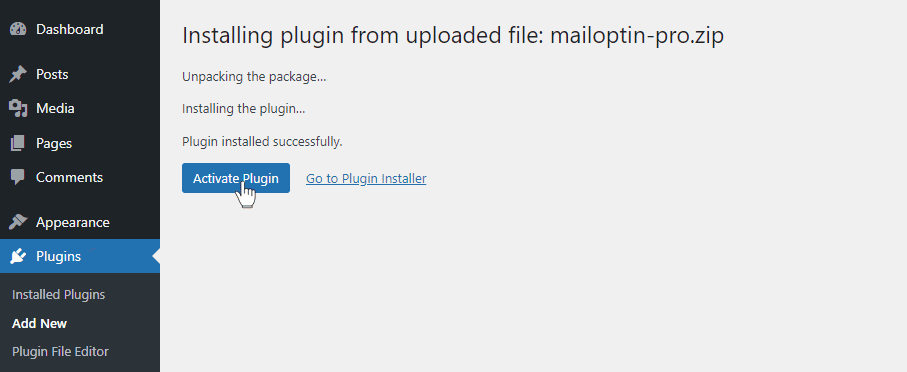
Once installed, click “Activate” to activate the WordPress plugin.
Step 2: Generating Cloudflare Turnstile Keys
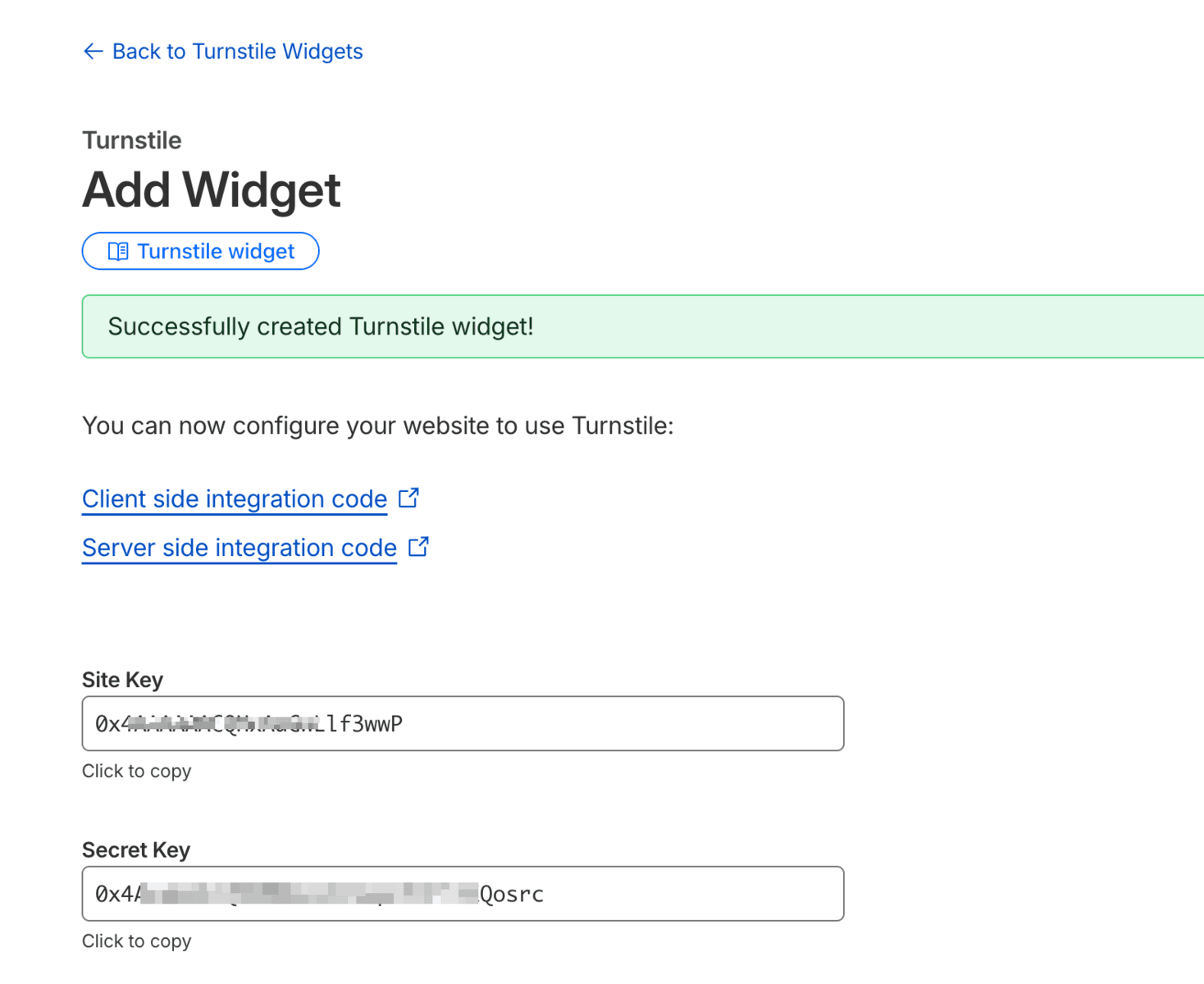
To set up Cloudflare Turnstile captcha in WordPress to protect your MailOptin forms, you must obtain a site key and a secret key specific to your domain.
You can acquire these keys by registering an account on the Cloudflare website. If you have one, log in to your account, open the Turnstile page, and click the “Add Widget” button.

Enter a name for the turnstile captcha widget you are creating, add your website domain as a hostname, and select “Managed” as the Widget Mode.
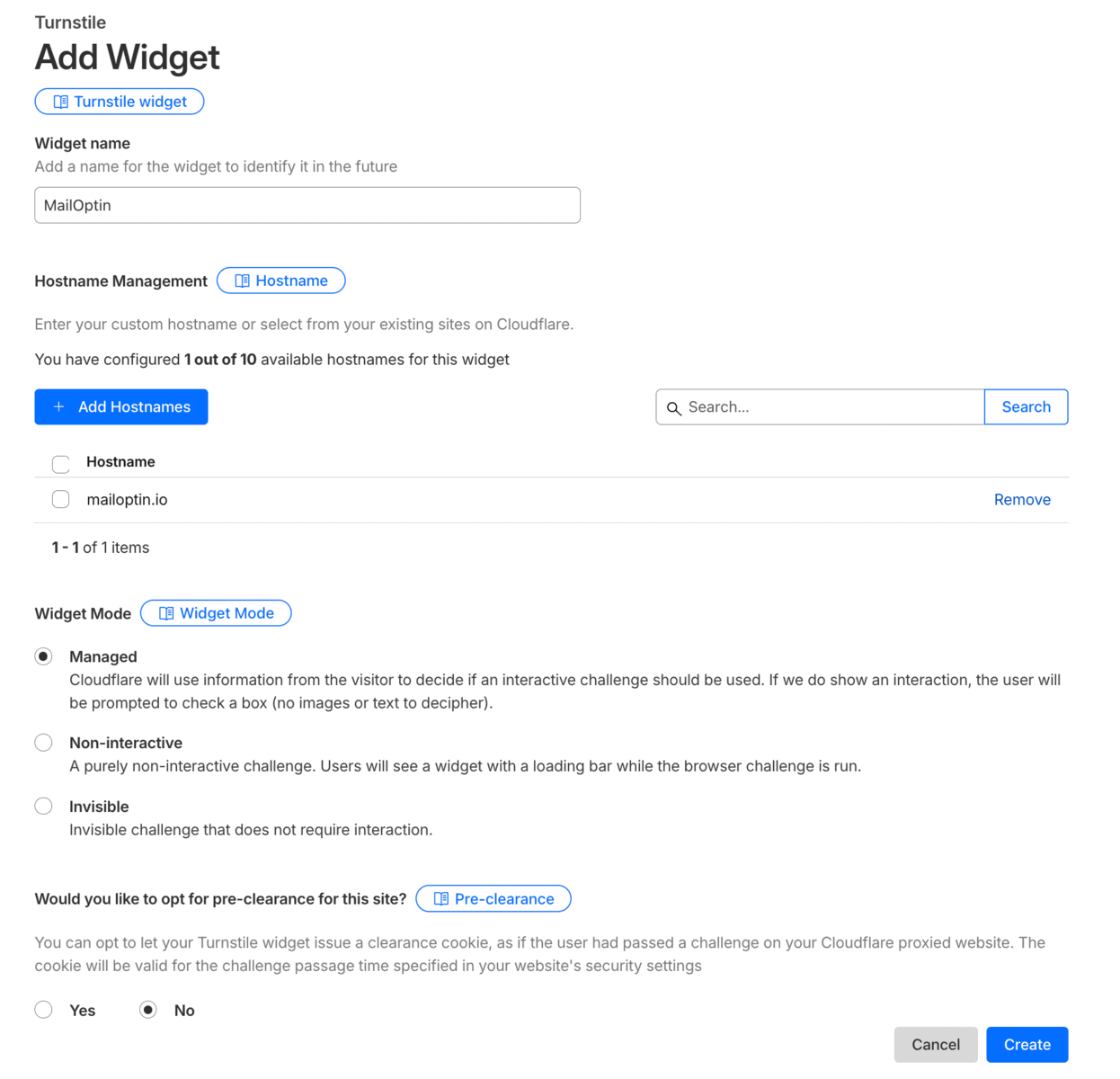
Finally, submit the form to reveal your Site Key and Secret Key.
Step 3: Saving the Cloudflare Turnstile Keys in MailOptin
Next, you can implement the created site keys in MailOptin to set up and enable the Cloudflare Turnstile CAPTCHA widget for any optin form created with MailOptin on your WordPress website.
Log in to your WordPress site and go to MailOptin » Settings. Then, click on the Cloudflare Turnstile tab and enter your Site Key and Secret Key.
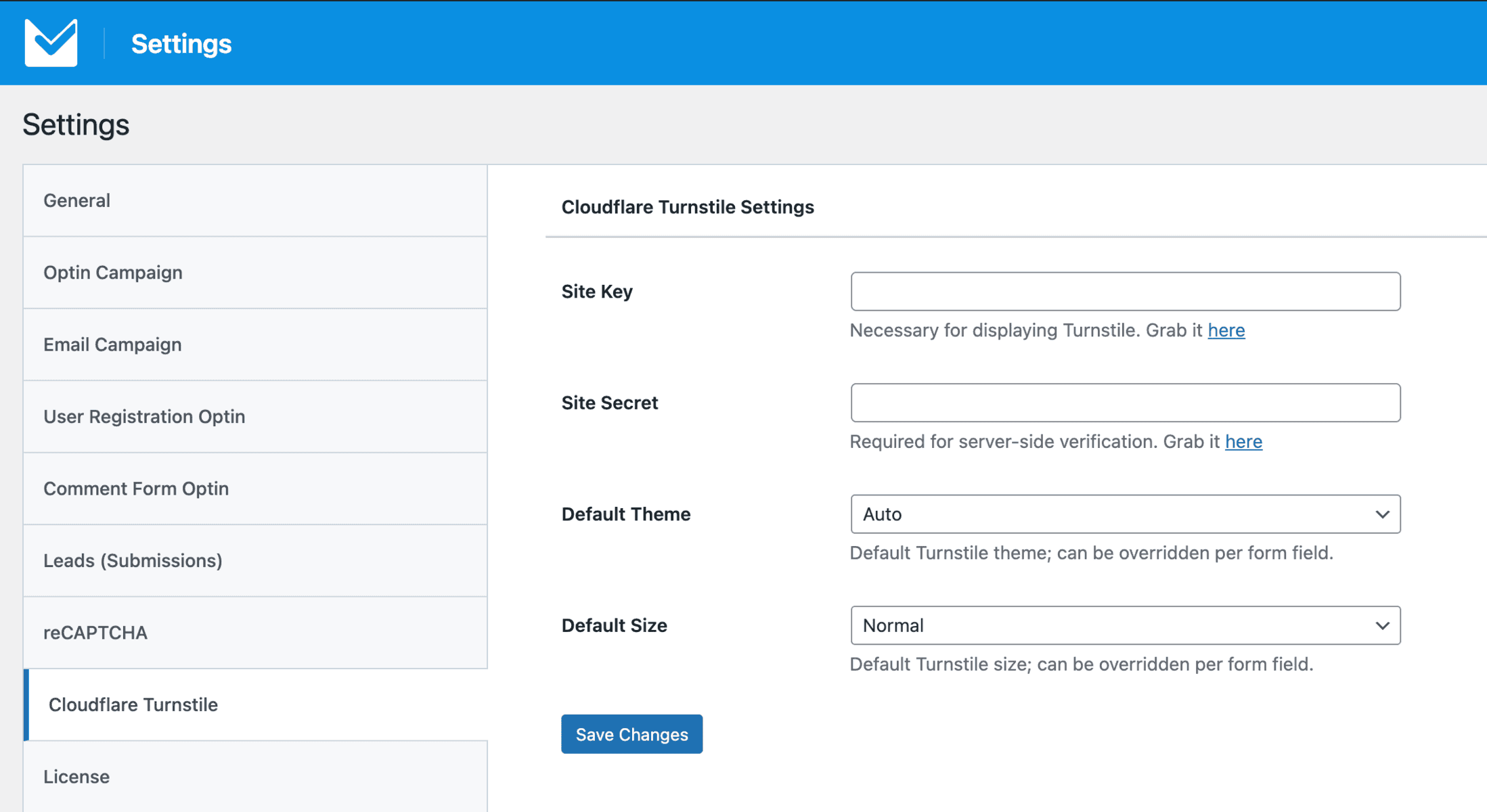
Click on the Save Changes button to store your settings.
Step 4: Adding Cloudflare Turnstile to WordPress Forms
To actually get the Cloudflare Turnstile widget implemented on any optin forms in MailOptin, you need to add the Turnstile CAPTCHA field to the form.
Open the form to which you want to add Cloudflare Turnstile CAPTCHA and go to the “Fields” panel.
Add a new field and select Cloudflare Turnstile as the field type.
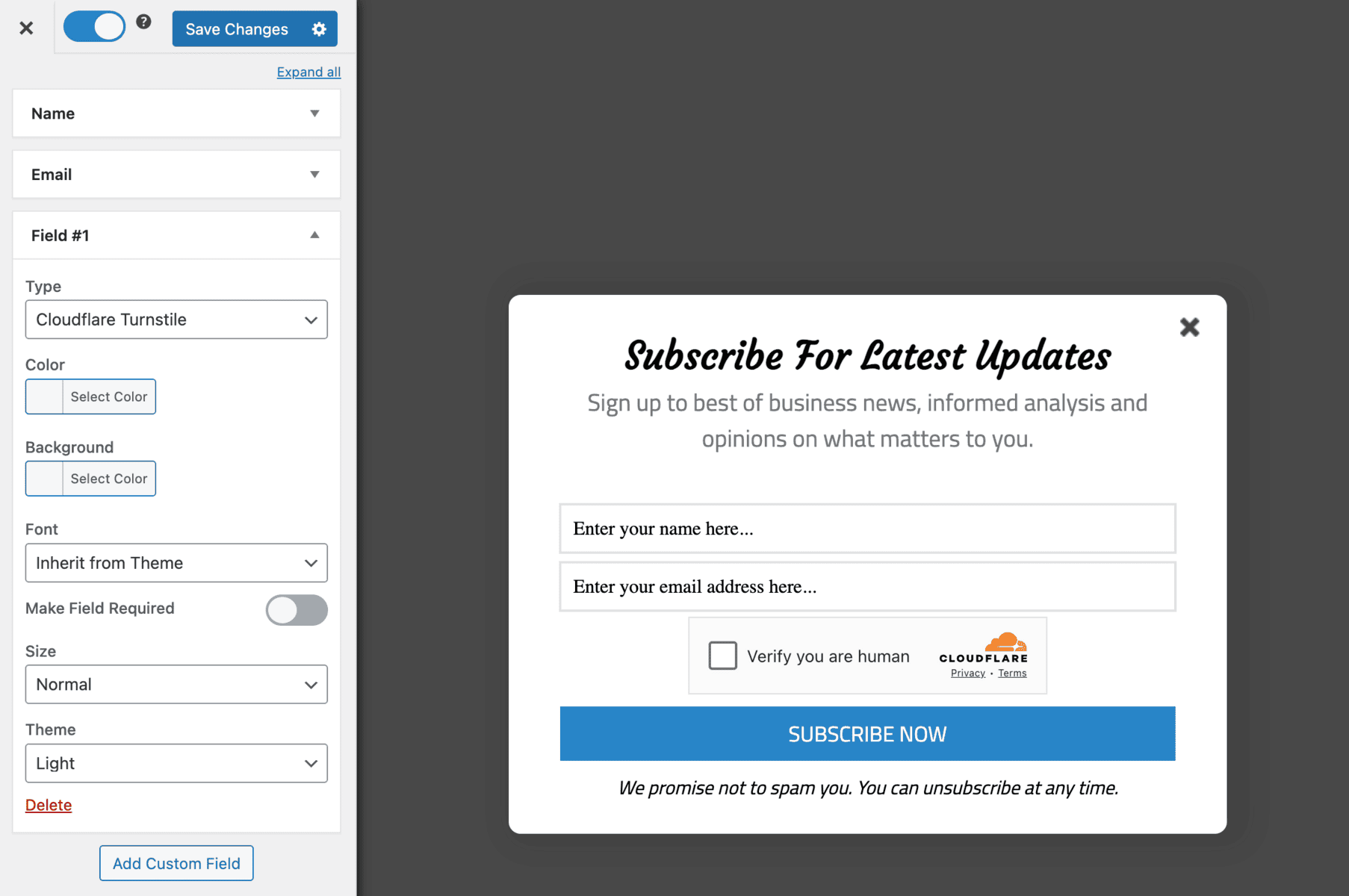
Finally, save the changes.
MailOptin automatically protects your forms from spam by adding a honeypot field to each WordPress optin form, attracting flies like a real honey pot. Although not foolproof, Cloudflare Turnstile enhances this, making your forms more resilient.
Secure your WordPress forms with Cloudflare Turnstile.
Integrating Cloudflare Turnstile with MailOptin improves the security of your WordPress email signup forms by providing an advanced, spam-resistant verification system.
This integration not only mitigates malicious activities, such as bots and automated attacks, but also ensures a smooth, secure experience for your visitors, balancing usability and protection.
We hope this article has helped you learn how to integrate Cloudflare Turnstile with your WordPress optin forms using MailOptin.